
PointCare
Homecare Homebase, LLCMedical
3.528.00 Reviews
- Version
- 26.9.1
- Installs
- 10.00K
- Age Rating
- Everyone
Screenshots
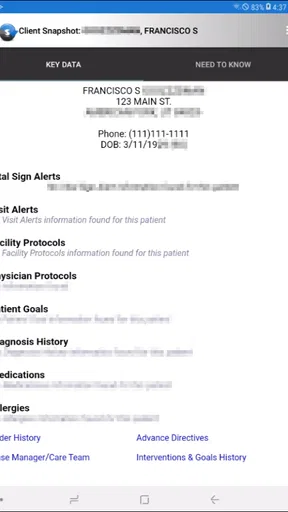
Our Review of PointCare
 Analysis by Appyee
PointCare is the kind of medical app that makes sense only when you understand who it is for. I would not install it on a family tablet expecting a general health tracker, appointment planner, or medication reminder. It is designed for authorized users connected with the HCHB EMR, and its job is to provide clinical visit data within that professional workflow. That narrow purpose is both its main strength and its biggest limitation.
In my experience, the most useful way to think about it is as a work tool for people who need access to visit information while caring for patients in the field. It is not trying to replace a patient portal or become a household wellness dashboard. If you are a clinician or another approved user working with an organization that uses the relevant electronic medical record, PointCare may fit naturally into your day. If you are simply looking for a medical app for yourself or relatives, it is probably the wrong download.
Where PointCare fits in a shared household device
A realistic household scenario would be a shared Android phone or tablet used by a visiting professional who also happens to keep the device at home. During a workday, that person may need to consult clinical visit information while moving between appointments. Later, another family member might pick up the same device to browse, message someone, or check a calendar. That arrangement immediately creates an important boundary: PointCare should be treated as a work application, not as a shared family utility.
The app comes from Homecare Homebase, LLC and belongs to the medical category. Its store summary describes access to clinical visit data for authorized HCHB EMR users, which tells me that access is tied to an existing professional environment rather than casual sign-up. The value is therefore dependent on authorization and organizational use. Installing it alone does not turn a personal device into a source of general medical records.
On a shared device, I would keep the app inside the work side of the device wherever possible. Separate user profiles, a device lock, and careful sign-out habits are more important here than they would be for a basic fitness app. I would also avoid leaving the device unlocked on a screen containing visit information. Even when a household trusts the main user, accidental exposure is easy when phones and tablets move from one person to another.
That is a practical distinction many store descriptions fail to make. A free medical app can still involve information that should not be casually visible. PointCare is free to download, but that does not make it suitable for unrestricted household access. The meaningful question is not whether everyone in the home can open the app; it is whether each person using it is an authorized participant in the related clinical workflow.
What the app is useful for during a workday
I see the strongest use case in quick access to visit-related information when a professional is away from a desk. Instead of treating the app as a complete replacement for every desktop task, I would use it as a mobile window into the clinical data that matters during field work. That can make a difference when the next decision depends on seeing the right visit information without returning to an office computer.
The benefit is especially clear when coordination involves several stops. A worker can use the mobile access point to orient themselves before a visit, check the relevant record within the authorized system, and keep the information connected to the actual care workflow. I would still use the organization’s established procedures for anything requiring broader documentation, review, or administrative follow-through. Mobile access is convenient, but convenience should not be confused with completeness.
One useful habit is to open the app with a specific question in mind rather than browsing aimlessly. For example, before contacting a colleague, I would identify the visit or patient context I need and confirm that I am looking at the correct record. This reduces the risk of mixing up similar entries on a busy day. It also makes a focused mobile tool feel much faster than trying to use it as a general-purpose archive.
Another practical tip is to check the information before arriving at a visit rather than waiting until a conversation is already underway. That gives the worker a moment to orient themselves and avoids making the patient wait while the professional searches. The app’s value is not just that data is available; it is that the data can be consulted at a more useful point in the workflow.
Setup boundaries matter more than the download
PointCare is not the sort of app I would recommend installing first and figuring out later. The key setup question is whether the user is already an authorized HCHB EMR user. If the answer is no, the app may have little practical value even though it installs normally. The relevant organization, account arrangement, and access process come before the app itself.
For a household, I would make the account boundary explicit from the start. The person whose work depends on the app should be the only person using that professional account. A partner, child, roommate, or visiting relative should not treat the app as a place to look up information out of curiosity. This is not a matter of adding family controls that the app may not provide; it is a matter of keeping the device and account usage disciplined.
I would also avoid using a family member’s device casually unless the organization permits that arrangement and the device can be secured properly. A shared tablet can be convenient, but it increases the chance that someone will see an open screen, handle notifications, or use the wrong account. A dedicated work device is the cleaner option when the household can manage one.
There is also a difference between technical access and appropriate access. Someone might be able to open an already signed-in application, but that does not mean they should. In a medical setting, I would judge the setup by the least careful moment: the forgotten unlocked screen, the borrowed tablet, or the family member who assumes that anything installed on the device is meant for everyone.
The app is suitable for Everyone as a content rating, but I would not interpret that label as permission for children or unapproved household users to view clinical information. The age label describes the app’s store classification; it does not replace professional authorization or sensible privacy practices. That distinction is particularly important in homes where one device serves several age groups.
Coordination is where the mobile format earns its place
PointCare seems most valuable when it reduces the gap between a visit and the information needed to support it. In a traditional setup, a worker may rely on a desktop system, printed notes, phone calls, or messages passed through another person. A mobile view can make coordination more direct, provided everyone is operating inside the same approved HCHB EMR environment.
I would use it as a reference point during coordination, not as an excuse to scatter sensitive details across informal channels. If a colleague needs an update, the safer habit is to consult the relevant information and communicate through the organization’s accepted process. Copying clinical details into a family group chat, personal notes app, or casual text thread would defeat the purpose of having a controlled professional workflow.
A small but important workflow improvement is to separate “checking” from “sharing.” I might open PointCare to confirm what I need for the next visit, then close it before making a phone call in a shared room. That keeps the screen from becoming a passive source of exposure. It also helps me stay focused on the minimum information needed for the task instead of leaving a record open longer than necessary.
For a team, the app’s usefulness depends on consistency. If one person relies on the mobile record while another uses disconnected personal notes, coordination can still become messy. PointCare can support access to visit data, but it cannot by itself fix unclear responsibilities, incomplete handoffs, or poor communication habits. I would see it as one part of a larger care process rather than the process itself.
This is also where the app compares favorably with ordinary alternatives such as a general notes app or a personal calendar. Those tools may be easier for household organization, but they do not provide the same connection to a clinical visit workflow. On the other hand, a full desktop EMR may remain better for broad review, detailed documentation, and tasks that require a larger screen. The mobile app wins on access during movement; the desktop environment may win on depth and control.
Trust, age, and the person holding the device
Families often share devices because it is convenient, but medical information changes the trust model. I would not judge access solely by whether I know and trust the person. A child may be perfectly trustworthy and still not understand why a patient record should remain private. An adult relative may be responsible but not authorized. The safest boundary is based on role, not family closeness.
That is why I would avoid presenting PointCare to children as another app they can explore. The Everyone rating does not make it an educational health app, and the professional context is more important than the age classification. If a child needs to use the same tablet, I would close the app, lock the device, and make sure the work account is not left available in the background.
For older relatives who share a device, the issue may be less about curiosity and more about accidental interaction. A person might tap the app while looking for a browser or open a notification without realizing what it contains. Clear device organization helps: keep work apps grouped separately, use a visible lock, and do not rely on memory alone to protect an account.
I also think trust includes knowing when not to use a shared device. If the household is busy, guests are present, or several people regularly borrow the tablet, a dedicated work phone is preferable. PointCare is not a good candidate for casual family access because its purpose is tied to clinical data rather than household convenience.
The public response appears mixed rather than universally enthusiastic, with an average rating of 3.5 from around 98 ratings and around 28 written reviews. I would read that as a reason to keep expectations realistic. A specialized app can be genuinely useful to the right authorized worker while still feeling limited or frustrating to someone who expects a polished consumer medical experience.
Everyday friction I would plan around
The first friction is dependence on the surrounding HCHB EMR setup. If your organization does not use that system or has not arranged access for you, the app is not a standalone solution. This is the most important limitation because it determines usefulness before interface preferences even enter the picture.
The second is scope. PointCare is focused on clinical visit data, so I would not choose it for symptom tracking, personal health journaling, exercise monitoring, prescription reminders, or family appointment management. A patient-facing portal may be a better alternative for viewing one’s own records, while a general health app may be more appropriate for personal routines. The right comparison is not “which medical app is best?” but “which job am I trying to complete?”
The third is the trade-off between mobility and screen comfort. A phone is convenient in a hallway, vehicle, or home visit, but a small display is less comfortable for extended reading. I would use the mobile app for targeted checks and immediate context, then move to the organization’s fuller system when I need to work through a larger amount of information.
There is also a human-factor limitation: mobile access can encourage hurried checking. When a worker is moving quickly, it is easy to glance at a record without confirming the identity or context carefully enough. My practical safeguard would be to pause at the beginning of each lookup, verify the intended patient or visit, and close the record once the task is complete.
Finally, household sharing adds friction that has nothing to do with the app’s buttons. Someone may need the device while the professional is working, or the professional may forget to secure it after use. In that situation, the best solution is not to expect PointCare to behave like a family app. It is to establish a simple routine: work use, secure the device, then hand it back.
Who should use it and who should skip it
I would recommend PointCare to an authorized professional whose daily work includes clinical visits connected to the HCHB EMR. It is also a sensible option for someone who needs mobile access to visit information and understands that the app is part of an organizational process. For that audience, the focused design can be more useful than a broad consumer health app filled with unrelated features.
I would skip it if I were a patient looking for my own health dashboard, a parent managing a child’s appointments, or a household member searching for medication reminders. I would also skip it if I had no connection to an organization using the relevant record system. Installing a specialized tool without the matching account and workflow is likely to create confusion rather than value.
Compared with paper notes, it offers a more direct connection to the professional record and avoids carrying loose information between visits. Compared with a generic notes application, it is better aligned with clinical data access but less flexible for personal organization. Compared with a full desktop EMR, it is more convenient away from the office but likely less comfortable for broad, detailed work. Those trade-offs make its audience quite clear.
The app has been available since February 26, 2020, and its current version is 26.9.1. It supports Android 5.0 and later, which gives it a broad technical reach on compatible Android devices. I would still judge the installation by the organization’s requirements and the security of the device rather than by compatibility alone. An older supported operating system may run the app, but a work device should be maintained responsibly.
My household verdict
After looking at PointCare through the lens of shared devices, I see a useful professional tool that should be kept firmly inside a professional boundary. Its purpose is specific, and that specificity is a benefit when the user needs clinical visit data connected to HCHB EMR. It is not a general family medical app, and treating it like one would create the wrong expectations and unnecessary privacy risks.
I would use it on a personal work phone or on a carefully secured shared device, with one authorized account and a habit of locking the screen after every task. I would use it for focused preparation, quick record checks, and coordination around visits, while reserving broader documentation for the organization’s fuller system. Those habits make the mobile format more useful without asking it to do jobs it was not built to handle.
My final recommendation is therefore conditional but positive: choose PointCare if your work already runs through the HCHB EMR and you need mobile access to clinical visit information. Do not choose it as a family organizer, a personal health tracker, or a child-friendly medical reference. With the right account, the right role, and sensible device boundaries, PointCare can be a practical field companion rather than just another medical app.
For me, the deciding factor is not the free price or the modest number of installations, which is over 10 thousand. It is whether the app fits an existing authorized workflow. If it does, the focused approach is its strongest quality. If it does not, a patient portal, desktop system, or ordinary personal health app will be a much better match.
Verdict
Strengths of PointCare
- Simple interface makes patient information easy to access.
- Supports faster communication between care teams and patients.
- Can help reduce paperwork and improve record organization.
- Useful for monitoring care tasks and patient updates remotely.
- Designed for healthcare workflows rather than general messaging.
Limitations of PointCare
- Availability and features may depend on your healthcare provider.
- Requires a reliable internet connection for timely updates.
- Some users may find healthcare terminology difficult to navigate.
- Privacy depends on how the connected organization manages your data.
- Not intended to replace emergency services or professional medical advice.
Similar Picks in This Category
View All
WebMD: Symptom Checker
WebMD, LLC4.1

Microphone Amplifier
DOSA Apps4.2

Anatomy Learning - 3D Anatomy
3D Medical OU4.5

Period Tracker and Calendar
SimpleInnovation4.9

GoodRx: Prescription Coupons
GoodRx4.8

CVS Health
CVS Pharmacy4.5
Frequently Asked Questions
What is PointCare, and what is it used for?
PointCare is a mobile application designed to support healthcare-related workflows, particularly field visits, patient information management, documentation, and communication. Depending on the organization using it, the app may help authorized staff access assigned cases, record visit details, complete forms, and submit updates. Its exact features can vary according to the user’s role, employer, subscription, and account permissions.
Who can use the PointCare app?
PointCare is generally intended for authorized healthcare professionals, caregivers, field workers, agencies, or other organizations that use the PointCare platform. It is not normally a public app for casual users, and access may require an invitation, organization-provided credentials, or an active account. Before downloading, confirm that your employer or service provider supports PointCare and has enabled access for your role.
Does PointCare work without an internet connection?
PointCare may support certain offline workflows, which can be useful for staff working in locations with limited mobile data or unreliable Wi-Fi. However, offline availability can depend on the app version, account configuration, and specific tasks being performed. Information recorded offline may need to synchronize later, so users should open the app with a stable connection regularly and verify that submitted records were uploaded successfully.
What permissions and device requirements does PointCare need?
PointCare may request permissions such as internet access, notifications, camera use, storage, location services, or access to device functions needed for field documentation. The required permissions depend on the organization’s setup and the features you use. A compatible, up-to-date Android or iOS device is recommended. If permissions are denied, some functions—such as visit verification, photo capture, alerts, or synchronization—may not work correctly.
Is personal and patient information secure in PointCare?
Because PointCare can be used to handle sensitive healthcare and visit-related information, users should treat their account and device as confidential. Security depends on the app, the service provider’s configuration, organizational policies, and the user’s own practices. Use a strong password, avoid sharing login details, keep the operating system updated, and report lost devices or suspicious account activity immediately to your organization or PointCare support.
